
To carry your laptop safely on rides, always shut it down to prevent overheating. Use a protective case for cushioning and moisture resistance. Make certain your backpack is not overloaded and place heavier items lower for better balance. Secure the laptop in a stable position, keeping it close to your body while moving. Regularly check for wear on your backpack and case to guarantee ongoing protection. Discover more tips to enhance your laptop’s safety during transport.
Key Takeaways
- Always turn off the laptop before riding to prevent overheating and potential damage.
- Use a protective case, such as a pelicase, for impact and water protection during transport.
- Secure the laptop in a stable position on the luggage rack or inside a padded bag.
- Avoid overloading your backpack to maintain balance and reduce the risk of damage.
- Regularly inspect your backpack and straps for wear to ensure safe transport of your laptop.
Importance of Laptop Protection and Common Damage Risks
When you’re on the go, protecting your laptop is essential, as it’s vulnerable to various forms of damage. Laptops can suffer from impacts, dropping, and vibrations, leading to cracked screens or disrupted components.
Common risks include trauma from bumps against hard surfaces and moisture damage from exposure to weather. Using a laptop case specifically designed for protection can greatly reduce these risks. It provides cushioning against impacts and safeguards against moisture.
Always remember to shut down your laptop and secure it in the case before transport. This simple step guarantees your device stays safe and functioning properly during your travels.
Steps for Carrying a Laptop Safely
To guarantee your laptop remains safe during transport, it’s essential to follow a few simple steps.
First, always shut down your laptop to prevent overheating and damage from vibrations.
Next, use a protective case designed for laptops to cushion it against impacts and moisture.
Make sure all cords and devices are unplugged, and the laptop is completely closed to avoid damage from other items in your bag.
Handle your backpack with care, avoiding rough treatment or heavy stacking.
Finally, regularly check your bag and laptop case to confirm they’re providing adequate protection against wear and potential damage.
Careful Handling and Management of the Backpack
When you’re on the go, how you handle your backpack can make all the difference for your laptop’s safety.
Focus on weight distribution and stability to keep your gear secure, and consider using protective cases to cushion against impacts.
Backpack Stability Techniques
While you might be enthusiastic to plunge into your next adventure, maintaining the stability of your backpack is crucial for keeping your laptop safe.
Always handle your backpack with care to prevent drops and rough treatment. Avoid overloading it to maintain strap integrity and prevent strain on seams and zippers.
Make sure your backpack is zipped completely to avoid accidental slips and exposure to damaging elements. Position your laptop away from heavier items to mitigate trauma from bumps.
Regularly check for leaks from food or liquids that could seep in and damage your laptop.
These backpack stability techniques help you safely carry your laptop.
Weight Distribution Strategies
Maintaining backpack stability is just the beginning; effective weight distribution strategies play a significant role in keeping your laptop safe and enhancing your comfort on rides.
Place heavier items lower in your backpack to maintain balance and reduce strain on your back. Avoid overloading it, as this can damage the straps and create discomfort.
Secure your laptop in a padded compartment to minimize movement and protect against impacts. Regularly check the fit and condition of your backpack, ensuring it doesn’t shift.
Use side release buckles or Voile straps for added stability, preventing unwanted bouncing during your ride.
Protective Gear Recommendations
Protecting your laptop during rides is essential, and using the right gear can make a significant difference. Follow these protective gear recommendations to keep your laptop safe:
| Gear Type | Description | Importance |
|---|---|---|
| Laptop Case | Use a padded case for shock absorption | Prevents damage from impacts |
| Shut Down Device | Always shut down and unplug before packing | Prevents overheating and surges |
| Backpack Inspection | Regularly check straps and fabric | Guarantees security and functionality |
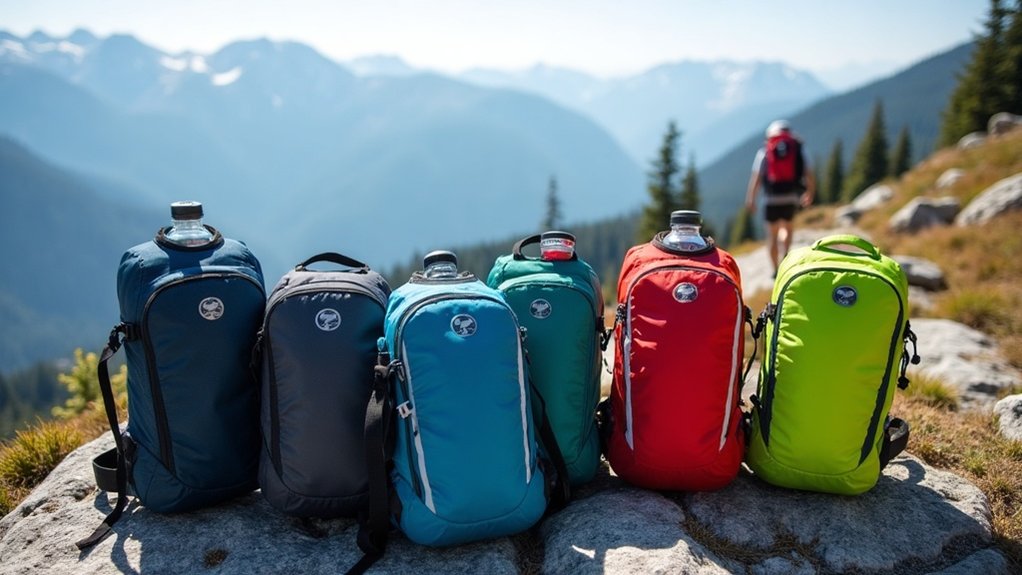
Traveling With a Laptop in a Backpack
When you’re traveling with a laptop in your backpack, safe packing techniques are essential for protecting your device.
Always shut down your laptop before placing it in a protective case to prevent overheating.
Additionally, be mindful of how you handle your backpack to avoid putting unnecessary stress on your laptop during transit.
Safe Packing Techniques
To guarantee your laptop arrives safely at your destination, it’s essential to follow effective packing techniques while traveling with it in a backpack.
Always shut down your laptop before packing to prevent overheating. Use a protective case designed for backpacks to minimize impact and environmental damage.
Place the laptop securely, away from items that could scratch or apply pressure, and zip the bag to avoid accidental slips.
Avoid overloading your backpack, as this can increase damage risk.
Finally, regularly check the backpack’s condition and straps to prevent wear that could lead to accidental drops.
This way, you can safely carry your laptop with confidence.
Handling Precautions During Travel
While traveling with your laptop in a backpack, handling it carefully is essential to prevent damage. Always shut down your laptop before packing it to avoid overheating.
Use a protective case designed for backpacks to cushion against impacts and moisture. Treat your backpack gently; avoid drops and guarantee it isn’t overloaded, which can strain the straps.
Keep it zipped and don’t place heavy items on top to prevent crushing. If you’re using a luggage rack, secure your backpack with a lock or security cable, and consider adding a luggage tag for easy identification during transit.
Trust Higher Ground Products for Protection
If you’re looking for reliable protection for your laptop during rides, Higher Ground products are a smart choice. Their durable covers, designed specifically for laptops and Chromebooks, guarantee your hard drive stays safe from impacts while traveling.
The drop-in shell design makes storing and removing your device effortless, perfect for those on the go. Made from EVA foam, these cases provide robust protection against drops, while hydrophobic coatings repel dirt and water, guarding against spills.
Plus, with a lifetime warranty, you can trust in the durability and reliability of Higher Ground products to keep your laptop secure.
Community Insights and Experiences
How can you guarantee your laptop stays safe during adventurous rides? Community insights reveal that ruggedized laptops, like the Panasonic CF-31, excel in durability against drops and vibrations. Many recommend using protective cases, such as Pelicases, to shield your hard disk from impact and environmental conditions. Others suggest packing laptops in handlebar bags surrounded by clothing for extra cushioning. Remember to shut down your laptop while riding to prevent overheating and reduce fire hazards. By sharing experiences, riders foster a supportive environment for safe travel with electronics.
| Method | Benefits | Community Feedback |
|---|---|---|
| Ruggedized Laptops | Durable against impacts | Highly recommended |
| Protective Cases | Waterproof and padded protection | Essential for safeguarding |
| Handlebar Bags | Additional cushioning | Effective during travel |
| Shutdown While Riding | Prevents overheating and hazards | Widely adopted practice |
Recommendations for Safe Riding Practices
To guarantee your laptop survives the bumps of adventurous rides, following a few key practices is essential.
Always turn off your laptop while riding to prevent overheating. Use a protective case, like a small pelicase, to shield it from impacts and water.
Secure your laptop in a stable position on your luggage rack or in a well-padded bag to minimize movement. Pack extra padding around it, such as clothes, to absorb shocks.
Finally, regularly check your laptop and protective gear for any damage before trips, ensuring everything’s in good condition to keep your laptop safe during travels.